Mana Calendar: an almanac colourful and easy to use
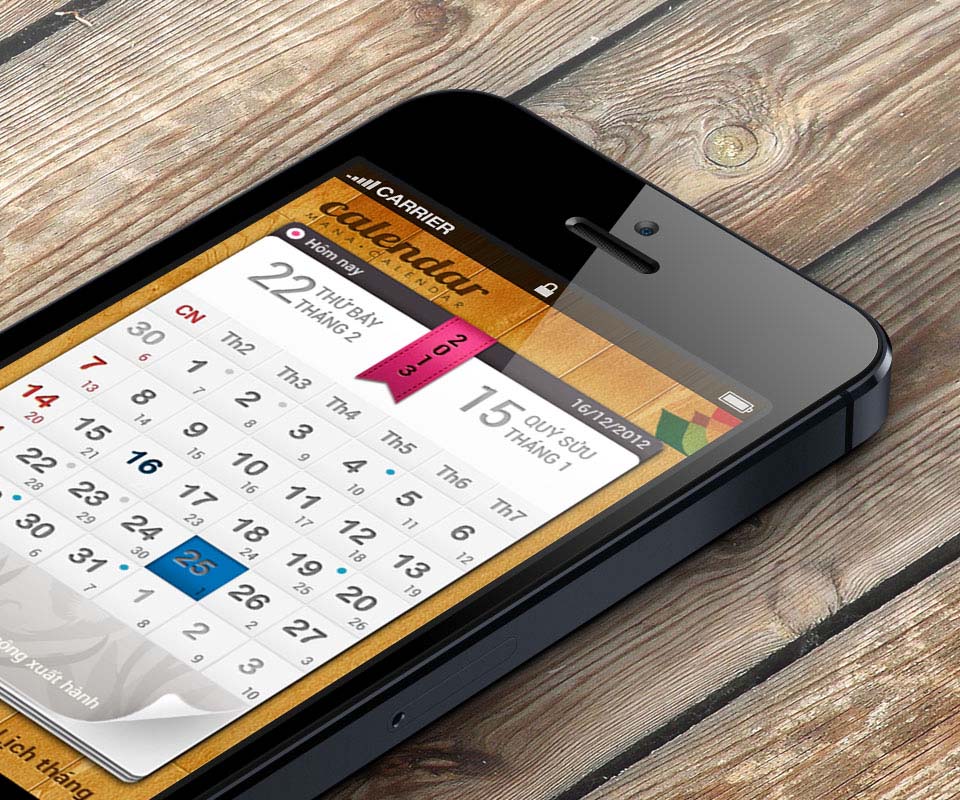
Mana Calendar is a lunar calendar and almanac app (a calendar that shows lunar dates and lucky and unlucky days) from Sóng Vàng Company, running on Android phones and iPhones. Sinh Vũ took part in designing the interface: colourful, easy to read, easy to use, and shaped like a paper calendar page on a wooden ground.
One calendar app for two kinds of phone
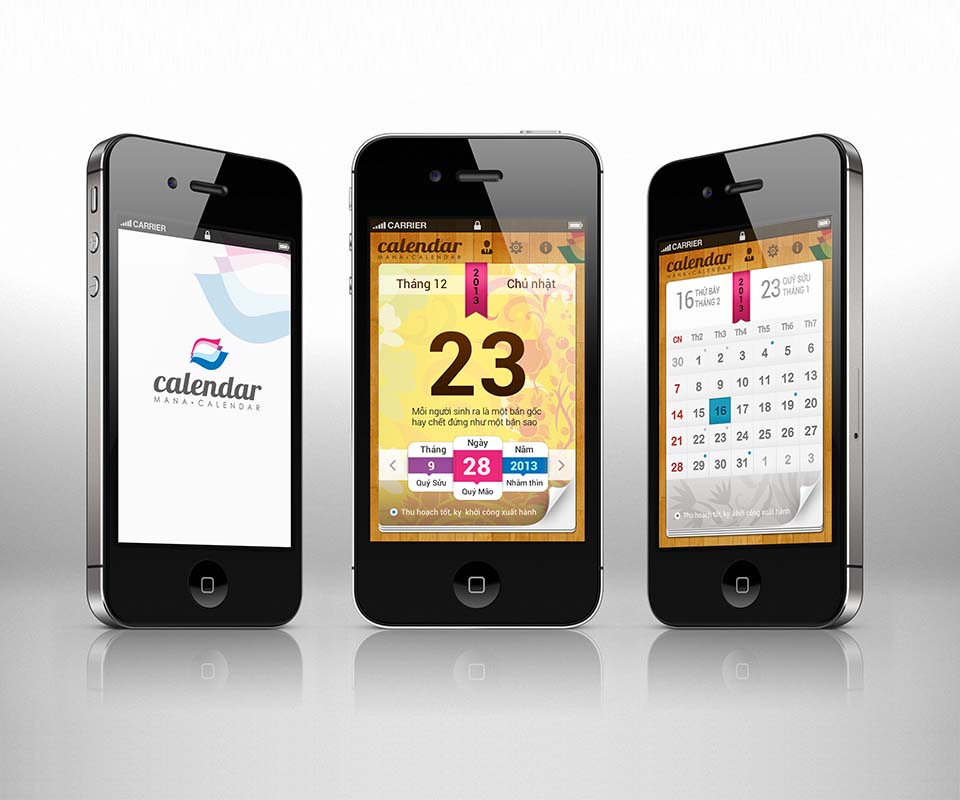
Mana Calendar is a calendar app from Sóng Vàng Company. Users open it to see the solar date, the lunar date and which days are lucky or unlucky, right on their phone. It runs on two platforms: Android and iOS (the operating system of the iPhone).
The client set three requirements: varied, attractive colours; ease of use; and pictures showing the character of each moment on the calendar. The hard part was making two versions for two kinds of device while users still recognise one and the same app.
A paper calendar page on a wooden ground
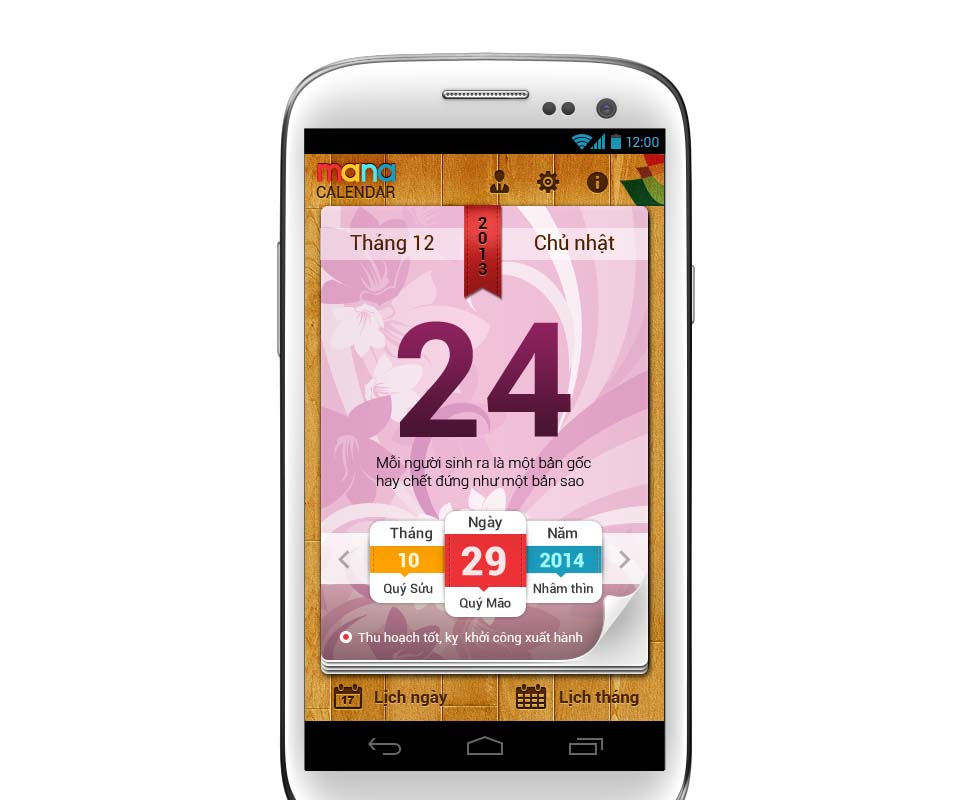
The interface takes the familiar paper calendar page as its starting point. Behind it is a warm wooden plank background. A white calendar page lies on top, its lower corner lifted slightly as if about to turn. A ribbon bearing the year runs across the top of the page.
The day screen has a very large date number in the middle, with a short maxim beneath it. The page background carries many flower patterns and colours, sometimes pale pink, sometimes yellow, in keeping with the client's wish for varied colour. At the bottom are three boxes for month, day and year, each with its can chi name beside it (the lunar-calendar way of naming days, months and years, such as Quý Sửu or Nhâm Thìn).
Checking lucky and unlucky days
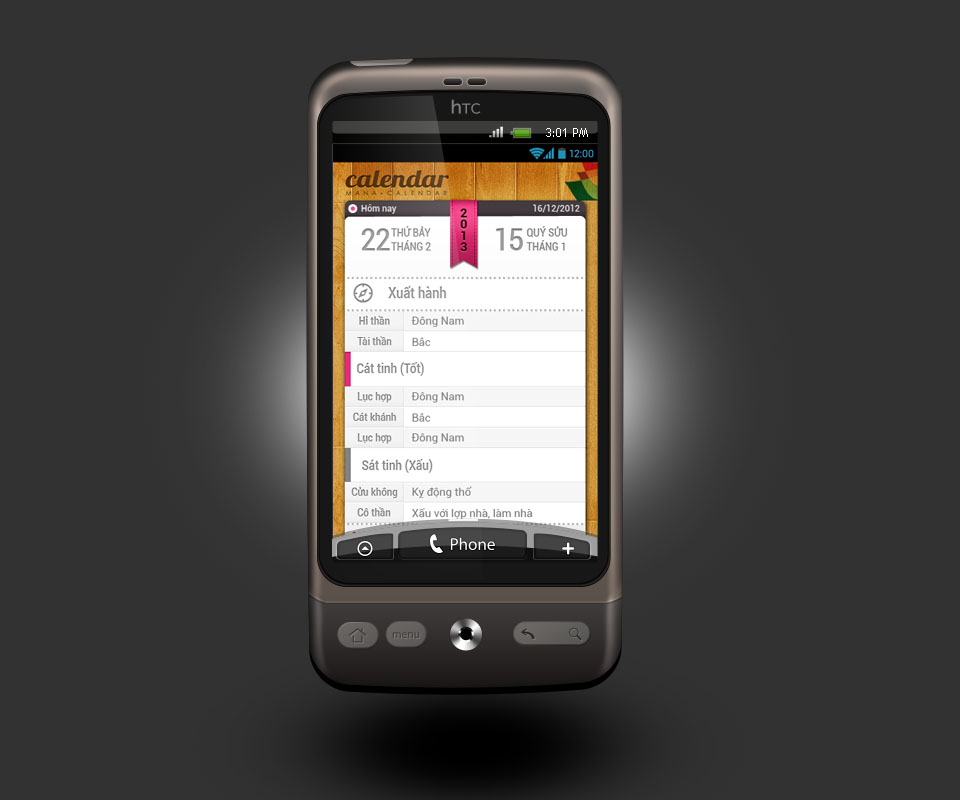
Many people open a calendar app to learn what to do and what to avoid that day. The day detail screen is therefore divided into separate blocks. The first is the departure direction, giving the directions of the god of joy and the god of wealth (two spirits believed to bring good fortune and money). Next come the group of lucky stars and the group of unlucky stars.
The lucky-star group has a pink bar at its head and the unlucky-star group a grey one, so users can tell them apart at a glance. Each line shows the item name in the left column and its content in the right.
One interface, different ways of use
The Android and iOS versions share one interface (UI, meaning what users see on the screen): the same wooden ground, the same calendar page, the same palette. What differs is the user experience (UX, meaning how users act and move between screens), which was designed separately for each platform.
The illustrations were first drawn by hand, then rebuilt in Illustrator and saved as SVG (a format for pictures made of lines, which stay sharp when enlarged and make for light files). This lets the app carry many pictures while staying small. Sinh Vũ also designed the animation (movement effects) used when moving between screens, to make it eye-catching.
The value
Mana Calendar has one consistent look across two platforms. Android and iPhone users alike meet the same calendar page on a wooden ground, and the same three boxes for month, day and year.
The client said they like this varied style of calendar design: rich colour, and use that is simple yet clever.
In their own words
I really like this calendar interface: colourful, easy to read, shaped like a paper calendar on a wooden desk. It is smart yet simple, so anyone who opens it can see the lunar date and auspicious days straight away.