
Plan backward from launch day
Example plan for one launch
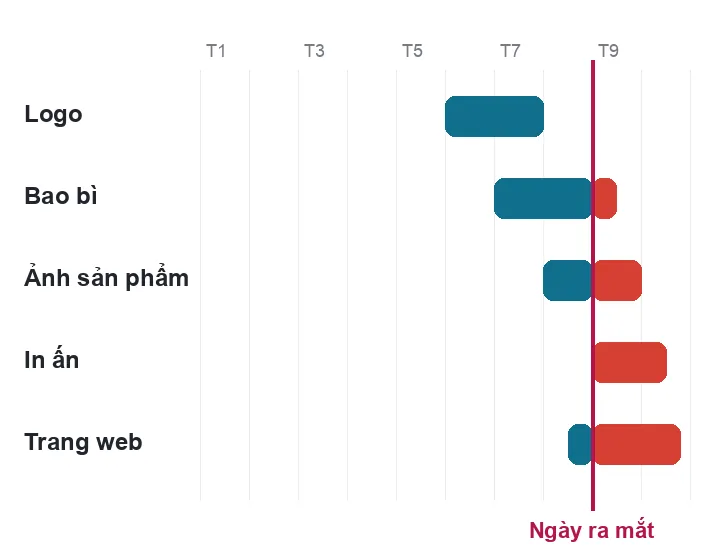
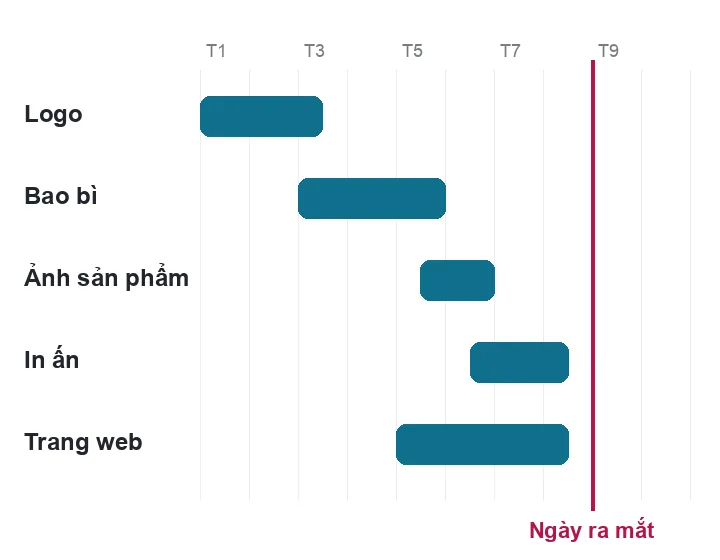
About this tool
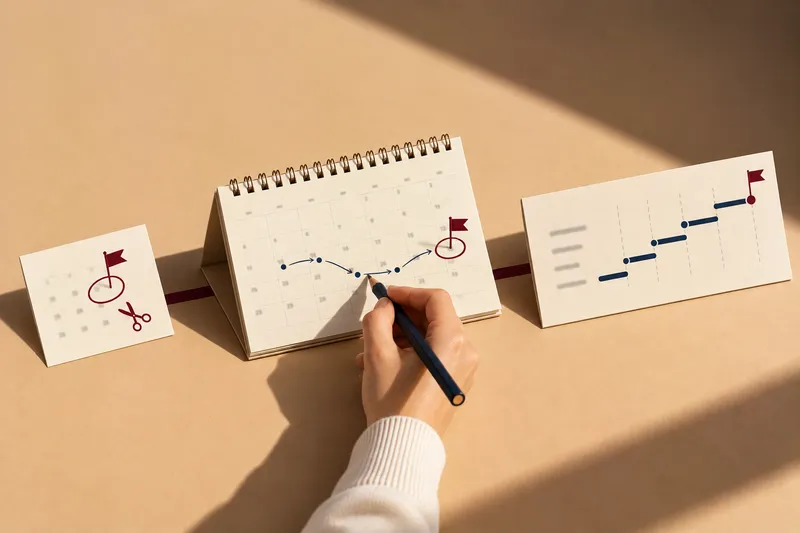
Choose a launch date and the work items to count backward to each task's start week and what you need to prepare.
Use it when
- You already have an opening or launch date
- Unsure which week to start the logo or packaging
- Want to know which job must finish before which
- Runs right on your device
- Uses Sinh Vũ's real work durations
- Download to your phone calendar
Doing things in the wrong order costs more than doing less
Some work must finish first
Packaging, websites and signs all sit on top of the identity. Until the identity is locked, anything done earlier may have to be redone.
Printers keep their own schedule
Printing and production time is outside the studio's control. The shelf date must be counted backward from the factory, not forward from the day files are delivered.
Approvers have limits too
When many items run in the same week, the approver on your side is overloaded, revision rounds drag, and delays pile up.
What people often ask
To launch on time, when must each task start?
To launch on time, count backward: take the launch date, subtract print and production time, then subtract design time for each item in the order things must be finished. Pick the date and items, and the tool gives the start week of every task, what you need to prepare, and a calendar file.
Where do the durations come from?
From the duration ranges Sinh Vũ uses in proposals, taking the upper end of the level you choose to stay on the safe side. The real schedule is fixed in a dedicated proposal once the work is understood.
Why enter the printer's time?
Printing and production time is set by the printer or factory and varies with quantity and material. Ask them, then enter it so the schedule is right.
Is what I choose sent anywhere?
No. The schedule is calculated on your device. The calendar file you download stays on your device.